reidouraidou
Master Gamer









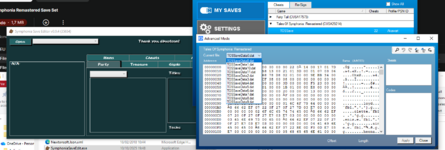
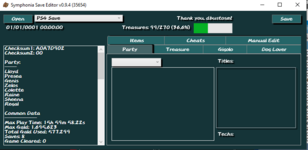
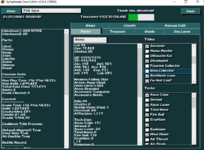
I bring you today this save set thanks to SymphoniaSaveEdit from Meth962. I tried using some codes hidden in the hacking forums but this Edit was way easier to manage. You can download it and use it as well, just export your decrypted save with SW Advanced mode/Discord Bot, load the save in the editor, change what you need and save. It's worth mentioning that adding items to your bag, individually or all at the same time does not register in the collector's book (but sometimes it does after a while)
This one took a while to complete because I could not test the 100% collector/monster ahead of time so I actually went out of my way to get it legit, but, I did not see that Genis titles had one for 100% items collected and popped that trophy and the Collector trophy popped as well. Thankfully I had enough time clocked in to look legit-ish. Also I had to level all characters TWICE to almost max damage so the final boss on Mania and the Secret Dungeon would be easier, and they are now. From my 3 Tales save sets, this was the hardest, and let's say, least enjoyable.
Now with an EU Save: 14 slots in the same order of the guide below
1=1 / 2=2 / 3=3 / 4=10 / 5=12 / 6=13 / 7=14 / 8=15 / 9=16 / 10=17 / 11=18 / 12=20 /13=21 / 14=22
My Starter Save if you want to start swinging from the gates.
To see this hidden content, you must react with one of the following reactions :  Like, Love, Wow
Like, Love, Wow
Here's the save set with some tips/recommendations:
FILE 01
Save 01 (These can be done before completing the game)
10 titles Trophy for All characters except Kratos
Open the Status menu tab and choose the character you want to pop the title trophy
Tip: Try to space out the timing for each trophy just a bit.
FILE 02Save 02 (To look legit not only u need to complete the game once but also get the secret dungeon trophy )
All titles Trophy for All characters except Kratos
Open the Status menu tab and choose the character you want to pop the title trophy
Tip: Try to space out the timing for each trophy just a bit.
 | A Collector's Collector You completed the Collector's Book! You must now know the true meaning of the universe. |
Genis All Titles trophy also pops the Collector's trophy
 | Monster Fanatic You completed the Monster List! So how many monsters did you kill? |
Raine All Titles trophy also pops the Monster Fanatic trophy
Save 03 (This should be done only after completing the game, preferably along with Lloyd All titles)
All titles Trophy for Kratos
Save 10 (Story Part 1)
 | Cleared Sylvarant Lloyd and his party have now arrived in Tethe'alla. |
Save 12
 | 100 Idol Your maximum hit number is 100! Why do your enemies even try? |
Connect a Cyclone from Genis and try to connect Para Ball from Collette
Also use Sword Rain side tech and connect with neutral or up tech Raining Tiger Blade
After at least some of these hit use U.Attack and do Up + All specials. That will trigger Stardust Rain
You can use the hourglass item as well before or mid combo to make it easier
Save 13
 | Million Dollars You obtained one million casino chips! |
Save 14 (Story Part 2)
 | Cleared Tethe'alla Lloyd and his party can now move between the two worlds. |
Save 15
 | Top of the Coliseum Defeated Gar, Farah, and Meredy in the Coliseum. Nice going! |
 | The Sister: Seles Defeated Zelos' sister Seles in the Coliseum. Sisters are tough. |
S Lightning Blade is really powerful against grounded enemies
Save 16
 | Abyssion Buster Defeated Abyssion. So there! |
TIPS: Map Reine Revitalize to l2 or r2 and go to town on the boss. Plenty of items and hourglasses as well
Save 17
 | Sword Dancer Slayer Defeated all 3 Sword Dancers. You can open a weapon shop with all their swords. But that's too much work. |
Save 18 (Story Part 3)
 | Hard Puncher Cleared the game with the difficulty set to "Hard." Challenge "Mania" next time. |
 | Cleared Derris-Kharlan What is the name of this tree? |
Map her time stop to your shortcut as well. Does the same thing as the hourglass
Equip mystic symbol on genis or raine to halve cast
Save 20
Cleared Data if you want it.
Almost no one has 10 titles but all have the Coliseum titles (the best for stat in an NG+)
Save 21
 | 100 Hours You played 100 hours! Thanks for playing! (I hope you were playing.) |
 | Celebrate 1000! You've encountered 1,000 battles! Battles never end. |
Save 22
 | Three Legendary Heroes Defeated Kratos, Yuan, and Mithos in Forbidden Anamnesis. You just caught a lucky break. |
 | True Mania Cleared the game with the difficulty set to "Mania." Were the battles epic? |
Save 21 and 22 are at the same place, only difference is that 21 has a bit more items but its overkill and if you dont want to pop 1000b and 100 h, use this one. Characters have 2800 to 3000 attack (cap), plenty of physical defense and magic. Did some weird stuff like editing their levels from 250 to 1 vut keeping the stats to level them up again. Plenty of useful items as well.
TIPS for Secret Dungeon: Enter Syback, go to the library and enter the weird looking book in the shelf
Red floors= Forced to kill all enemies to find the exit
Green floors= just find the exit, kill enemies if you want
Blue floors=gotta shoot the switches to create bridges and find the exit
Did not bother with Raine or Genis cause even with the shortest casting possible still takes too long.
It's roughly an hour of exploration and combat.